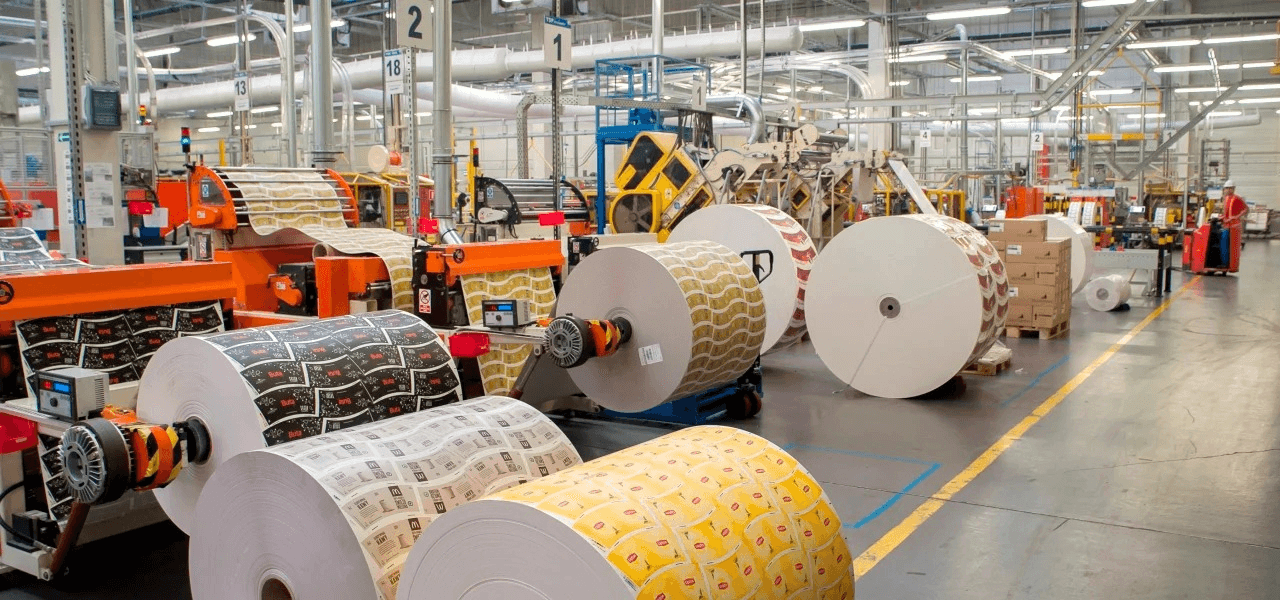



End-to-End Traceability

Across Printing, Lamination

& Slitting

End-to-End Traceability

Across Printing, Lamination

& Slitting

Track every roll from vendor to final output. Zero confusion. Zero misrouting. Complete visibility.

Track every roll from vendor to final output. Zero confusion. Zero misrouting. Complete visibility.

WIP Confusion Creates Delays, Rejections & Wastage

WIP Confusion Creates Delays, Rejections & Wastage

Without proper tracking, teams lose time answering:
“Where is the job right now?”
“Which vendor sent this raw material?”
“On which machine was this roll printed?”
“Was the tension correct during lamination?”

Without proper tracking, teams lose time answering:
“Where is the job right now?”
“Which vendor sent this raw material?”
“On which machine was this roll printed?”
“Was the tension correct during lamination?”

Wrong routing
Mislabelled materials
Endless searching for WIP
Quality disputes
Delayed deliveries

Wrong routing
Mislabelled materials
Endless searching for WIP
Quality disputes
Delayed deliveries

Track Every Material. Every Step. Every Parameter.

Track Every Material. Every Step. Every Parameter.

FLEX assigns a unique barcode to each roll, enabling complete visibility as it moves through printing, lamination, and slitting.


 FLEX captures real-time data from every converting machine and computes OEE based on:

you will

always know

you will

always know

Tension &

temperature readings

Tension &

temperature readings

Batch

Job details

Operator

Machine
Output

quality

Vendor
Features

Raw material barcode mapping

Raw material barcode mapping

Raw material barcode mapping

Work order tracking


Work order tracking


Work order tracking


Machine-wise job assignment


Machine-wise job assignment


Machine-wise job assignment


Real-time WIP location


Real-time WIP location


Real-time WIP location


Completed roll trace-back

Completed roll trace-back

Completed roll trace-back

Temperature & tension history

Temperature & tension history

Temperature & tension history

Quality check logs

Quality check logs

Quality check logs

Operator accountability

Operator accountability

Operator accountability

How It Works (Factory-Aligned)

How It Works (Factory-Aligned)

 FLEX integrates naturally across all stages of converting

 FLEX integrates naturally across all stages of converting

01

01

01

Raw Material Stage

Raw Material Stage

Raw Material Stage

Vendor → Batch → Barcode assigned

Vendor → Batch → Barcode assigned

Vendor → Batch → Barcode assigned

02

02

02

Printing

Printing

Printing

Roll scanned in, processed, scanned out

Roll scanned in, processed, scanned out

Roll scanned in, processed, scanned out

03

03

03

lamination

lamination

lamination

Tracks tension, temperature, and routing

Tracks tension, temperature, and routing

Tracks tension, temperature, and routing

04

04

04

Slitting

Slitting

Slitting

All final rolls are linked back to full process history

All final rolls are linked back to full process history

All final rolls are linked back to full process history

Benefits

Benefits

Eliminate WIP confusion

Eliminate WIP confusion

Faster routing & job completion

Faster routing & job completion

Quick quality audits

Quick quality audits

Zero mix-ups between rolls or work orders

Zero mix-ups between rolls or work orders

Get complete product genealogy

Get complete product genealogy

Reduce rejections caused by wrong parameters

Reduce rejections caused by wrong parameters

 Trusted. Proven. Industry-Focused.

 Trusted. Proven. Industry-Focused.

Proven track-and-trace framework

Built for real shop floor complexity

Simple operator

interface

Fully integrated with OEE and Planning modules


 Take Control of Your Converting Operations

 Take Control of Your Converting Operations

CUSTOMERS

Hear from Our Satisfied Clients

Hear from Our Satisfied Clients

Hear from Our Satisfied Clients

We’ve successfully reduced EGA from 1.27% to 0.35%. The insights from Eronkan’s system have helped us make real monetary improvements. We highly recommend the SNAX platform.

Shree Girraj Food

(Chacha Chaudhry Namkeen)

EroNkan has played a crucial role in digitalizing our factory operations. Their Industry 4.0-driven solutions provide real-time data tracking and instant corrective actions, significantly improving our OEE and reducing EGA. Their team is highly responsive, ensuring smooth integration and continuous support for enhanced efficiency.

Mr. Omveer singh

V.P. Operations Haldirams

EroNkan’s SNAX solution has transformed our dry snacks production by providing end-to-end digitalization and real-time data visibility. With improved accuracy and proactive corrective actions, we've significantly reduced inefficiencies and operating costs. The customization and seamless integration have made decision-making more data-driven and effective.

EroNkan’s Process Management Solution has given us complete control over our production line, from raw material handling to semi-finished goods. With real-time tracking of key metrics like yield, energy consumption, oil and seasoning usage, and wastage percentages, we have significantly improved efficiency and reduced losses. The ability to monitor fryer OEE and downtime has helped us optimize throughput, ensuring consistent quality and maximum productivity.

We’ve successfully reduced EGA from 1.27% to 0.35%. The insights from Eronkan’s system have helped us make real monetary improvements. We highly recommend the SNAX platform.

Shree Girraj Food

(Chacha Chaudhry Namkeen)

EroNkan has played a crucial role in digitalizing our factory operations. Their Industry 4.0-driven solutions provide real-time data tracking and instant corrective actions, significantly improving our OEE and reducing EGA. Their team is highly responsive, ensuring smooth integration and continuous support for enhanced efficiency.

Mr. Omveer singh

V.P. Operations Haldirams

EroNkan’s SNAX solution has transformed our dry snacks production by providing end-to-end digitalization and real-time data visibility. With improved accuracy and proactive corrective actions, we've significantly reduced inefficiencies and operating costs. The customization and seamless integration have made decision-making more data-driven and effective.

EroNkan’s Process Management Solution has given us complete control over our production line, from raw material handling to semi-finished goods. With real-time tracking of key metrics like yield, energy consumption, oil and seasoning usage, and wastage percentages, we have significantly improved efficiency and reduced losses. The ability to monitor fryer OEE and downtime has helped us optimize throughput, ensuring consistent quality and maximum productivity.

We’ve successfully reduced EGA from 1.27% to 0.35%. The insights from Eronkan’s system have helped us make real monetary improvements. We highly recommend the SNAX platform.

Shree Girraj Food

(Chacha Chaudhry Namkeen)

EroNkan has played a crucial role in digitalizing our factory operations. Their Industry 4.0-driven solutions provide real-time data tracking and instant corrective actions, significantly improving our OEE and reducing EGA. Their team is highly responsive, ensuring smooth integration and continuous support for enhanced efficiency.

Mr. Omveer singh

V.P. Operations Haldirams

EroNkan’s SNAX solution has transformed our dry snacks production by providing end-to-end digitalization and real-time data visibility. With improved accuracy and proactive corrective actions, we've significantly reduced inefficiencies and operating costs. The customization and seamless integration have made decision-making more data-driven and effective.

EroNkan’s Process Management Solution has given us complete control over our production line, from raw material handling to semi-finished goods. With real-time tracking of key metrics like yield, energy consumption, oil and seasoning usage, and wastage percentages, we have significantly improved efficiency and reduced losses. The ability to monitor fryer OEE and downtime has helped us optimize throughput, ensuring consistent quality and maximum productivity.

FAQ

FAQ

Got any Questions?

Got any Questions?

We’ve got Answers.

We’ve got Answers.

Subheading - Overview

Subheading - Overview

Does FLEX integrate with any printing/lamination/slitting machine?

To draw a Frame, click on Layout in the Toolbar, then select Frame. Now, you can click and drag anywhere on the Canvas.

Is the solution cloud-based or on-premise?

To add an image, select any Frame, and either double-click on it, or go to the Fill property. In the Fill property, switch to the image icon. Here, you can upload images.

Can we start with one module and add others later?

To add a video to your site, click the “Insert” button and navigate to the “Media” section. Then, drag and drop a video component onto the Canvas.

How long does implementation take?

To add a video to your site, click the “Insert” button and navigate to the “Media” section. Then, drag and drop a video component onto the Canvas.

Can operators easily adopt the system?

To add a video to your site, click the “Insert” button and navigate to the “Media” section. Then, drag and drop a video component onto the Canvas.

Does FLEX integrate with any printing/lamination/slitting machine?

To draw a Frame, click on Layout in the Toolbar, then select Frame. Now, you can click and drag anywhere on the Canvas.

Is the solution cloud-based or on-premise?

To add an image, select any Frame, and either double-click on it, or go to the Fill property. In the Fill property, switch to the image icon. Here, you can upload images.

Can we start with one module and add others later?

To add a video to your site, click the “Insert” button and navigate to the “Media” section. Then, drag and drop a video component onto the Canvas.

How long does implementation take?

To add a video to your site, click the “Insert” button and navigate to the “Media” section. Then, drag and drop a video component onto the Canvas.

Can operators easily adopt the system?

To add a video to your site, click the “Insert” button and navigate to the “Media” section. Then, drag and drop a video component onto the Canvas.

Does FLEX integrate with any printing/lamination/slitting machine?

To draw a Frame, click on Layout in the Toolbar, then select Frame. Now, you can click and drag anywhere on the Canvas.

Is the solution cloud-based or on-premise?

To add an image, select any Frame, and either double-click on it, or go to the Fill property. In the Fill property, switch to the image icon. Here, you can upload images.

Can we start with one module and add others later?

To add a video to your site, click the “Insert” button and navigate to the “Media” section. Then, drag and drop a video component onto the Canvas.

How long does implementation take?

To add a video to your site, click the “Insert” button and navigate to the “Media” section. Then, drag and drop a video component onto the Canvas.

Can operators easily adopt the system?

To add a video to your site, click the “Insert” button and navigate to the “Media” section. Then, drag and drop a video component onto the Canvas.